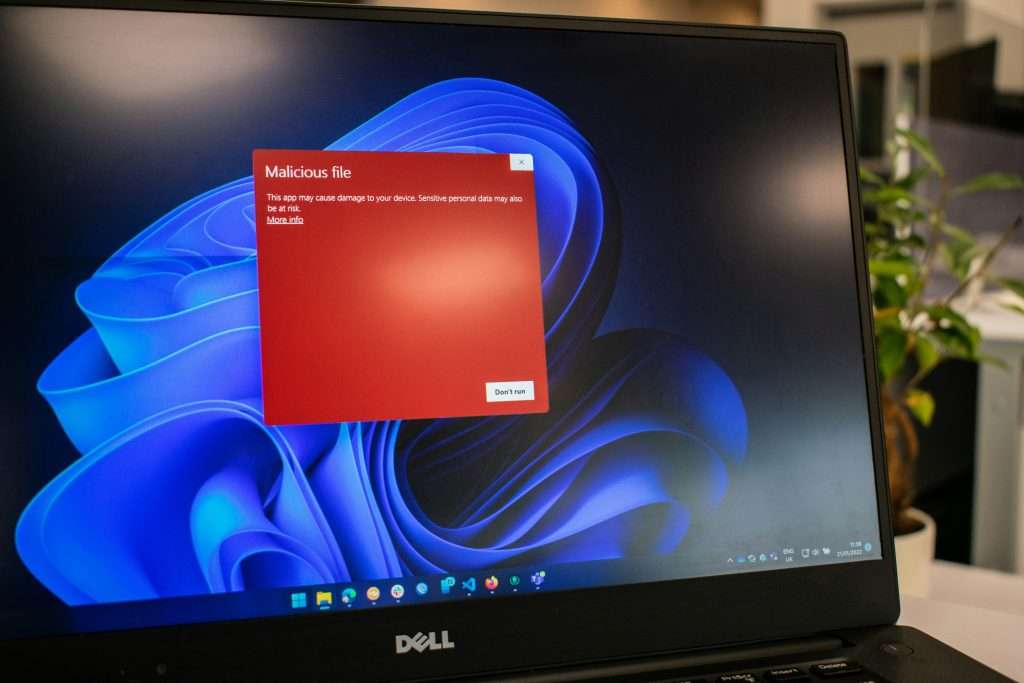
In today’s digital age, antivirus protection is a must-have to safeguard sensitive data from the ever-growing list of cyber threats, ranging from ransomware to phishing attacks. While there are numerous paid antivirus solutions on the market, Microsoft Defender has quietly upped its game, making it a formidable contender. It is often included as a default feature in many Windows packages.
In this blog, we’ll explore how Microsoft Defender has evolved, the packages it’s bundled with, and how it stacks up against popular paid antivirus solutions such as ESET, Webroot, Sophos, McAfee, and Bitdefender.
Microsoft Defender: No Longer Just Basic Protection
For years, Microsoft Defender (formerly Windows Defender) was often seen as basic protection—good enough for minimal defence but not something you’d rely on solely if you took security seriously. However, in recent years, Microsoft has made major improvements in both the capabilities and performance of Defender, positioning it as a legitimate choice for users seeking robust security without the need for third-party software.

Key Features of Microsoft Defender
- Real-Time Protection: Defender continuously scans your device in real-time, identifying malware, viruses, and ransomware before they can do damage.
- Cloud-Delivered Protection: Using Microsoft’s vast cloud infrastructure, Defender can detect new threats faster by accessing threat intelligence data.
- Ransomware Protection: Defender includes controlled folder access to protect key files from unauthorised changes, mitigating the threat of ransomware.
- Firewall & Network Protection: It helps manage network traffic, blocking suspicious connections that might expose your device to attacks.
- Integration with Microsoft Security Ecosystem: Defender seamlessly integrates with other Microsoft tools like OneDrive for file recovery in case of ransomware attacks.
- User-Friendly Interface: Built into Windows, Microsoft Defender is easy to use, requires no extra setup, and automatically keeps itself updated with the latest threat definitions.
- Advanced Threat Protection (ATP): In Microsoft 365 enterprise packages, users get access to ATP, which provides advanced, enterprise-grade defence features such as automated investigation and response.
Which Packages Include Microsoft Defender?
Microsoft Defender is included in a variety of packages, making it accessible to both casual and enterprise-level users:
- Windows 10 & 11: Defender comes built-in to all Windows 10 and 11 installations. It provides comprehensive antivirus protection without any need for additional software.
- Microsoft 365 (Personal & Family): Defender is part of the broader Microsoft 365 suite, adding protection to Word, Excel, and other Office apps, along with cloud-based security features.
- Microsoft 365 Business: Business users have access to advanced features such as attack surface reduction and security management tools.
- Microsoft 365 Enterprise: In addition to the core protection, enterprise plans offer Defender for Endpoint (previously ATP), which integrates threat intelligence, detection, and response tools aimed at larger organisations.

How Does Microsoft Defender Compare to Paid Alternatives?
Let’s compare Microsoft Defender with some of the leading paid antivirus software solutions on the market today.
1. ESET
• Pros: ESET is known for its lightweight system impact and highly customisable security settings. It’s particularly good at proactive protection, including exploit and phishing protection.
• Cons: Its interface can be a bit overwhelming for average users
• Comparison to Defender: ESET’s higher-end features like advanced configuration options and lower system impact are better suited for ‘power users’ who want to customise their protection, or feel that they are at greater risk, but for average users, Defender offers a similar level of protection for free.
2. Webroot
• Pros: Webroot is known for its small system footprint and fast scanning capabilities. It’s cloud-based, so it doesn’t rely on large definition updates and is constantly updating.
• Cons: Lacks some of the more advanced features offered by competitors like ransomware rollback or comprehensive parental controls.
• Comparison to Defender: Webroot is lighter on resources but might not offer the same comprehensive protection that Defender does, particularly when it comes to ransomware prevention and real-time cloud intelligence.
3. Sophos
• Pros: Sophos is popular for its excellent management interface and enterprise-level tools, especially for organisations with large PC estates who require centralised management
• Cons: The consumer version lacks some of the deep scan and real-time threat detection features found in its enterprise offerings.
• Comparison to Defender: Microsoft Defender for Endpoint (the enterprise version) competes directly with Sophos’ advanced threat protection tools. For enterprise environments, Sophos may offer more granular control, but Defender provides a good balance of protection, especially for smaller businesses and organisations
4. McAfee
• Pros: McAfee offers a wide range of features beyond antivirus, such as identity protection, secure VPN, and encrypted storage. It’s a well-rounded suite for those who want an all-in-one security package, particularly for ‘SOHO’ (Small Office / Home Office) users who may not have access to an IT support team.
• Cons: Can be resource-intensive, causing slowdowns on some systems. Also, McAfee can be expensive, particularly for multi-year subscriptions.
• Comparison to Defender: McAfee offers more “extras,” but Defender holds its own when it comes to core antivirus protection. If you don’t need the additional tools, Defender offers similar security for free.
5. Bitdefender
• Pros: Bitdefender is renowned for its excellent malware detection rates, light system load, and add-on features.
• Cons: Some advanced features are locked behind higher-tier plans. It can also be quite expensive compared to other options.
• Comparison to Defender: In terms of malware detection, Bitdefender still has a slight edge over Defender, especially in zero-day attacks. However, Defender has caught up significantly, especially with cloud-based intelligence, and is much more affordable for most users.

Is Microsoft Defender good enough for small businesses? The Verdict
For the average home or small business user, Microsoft Defender is an excellent antivirus solution.
It provides real-time protection, ransomware defence, and integration with Windows that makes it extremely convenient. With ongoing improvements, it’s become a moot point whether it’s worth paying extra for third-party antivirus software.
For users who need (or want) more advanced features – such as privacy tools, secure VPNs, or parental controls – paid options like Bitdefender, McAfee, and ESET might be worth considering, especially if you manage your own IT systems and don’t have the support of specialist IT technicians readily available.
In an enterprise / large organisation setting, with large volumes of computers to centrally manage and specific security needs, specialised solutions like Sophos or Microsoft Defender for Endpoint could be more appropriate.
Final Thoughts
Microsoft Defender has successfully shed its image as a “barebones” antivirus solution and now offers robust protection that rivals many paid alternatives. For Windows users simply needing reliable antivirus protection, it’s a perfectly adequate solution that is already in place and requires no additional installation, configuration, or management.
However, if you require specific features – such as detailed customisation capabilities and centralised management – a paid solution may be better suited to your needs.
No matter what you choose, keeping your devices secure and staying vigilant against cyber threats should always be a priority. Whether it’s Microsoft Defender or a third-party solution, antivirus software is your first line of defence in an increasingly connected world.

Stay Protected, Stay Secure!
With cyber threats on the rise, it’s more important than ever to ensure your devices are well protected.
Whether you opt for Microsoft Defender or explore paid alternatives like Bitdefender, ESET, or McAfee, the key is to stay proactive and vigilant.
Don’t wait until it’s too late!
Review your antivirus solution today and make sure your data, privacy, and devices are secure. Explore the options and find the best fit for your needs. We’re here to advise or guide you through your decision-making process so if you still have unanswered questions, be free to get in touch.
Act now and protect your digital world!